
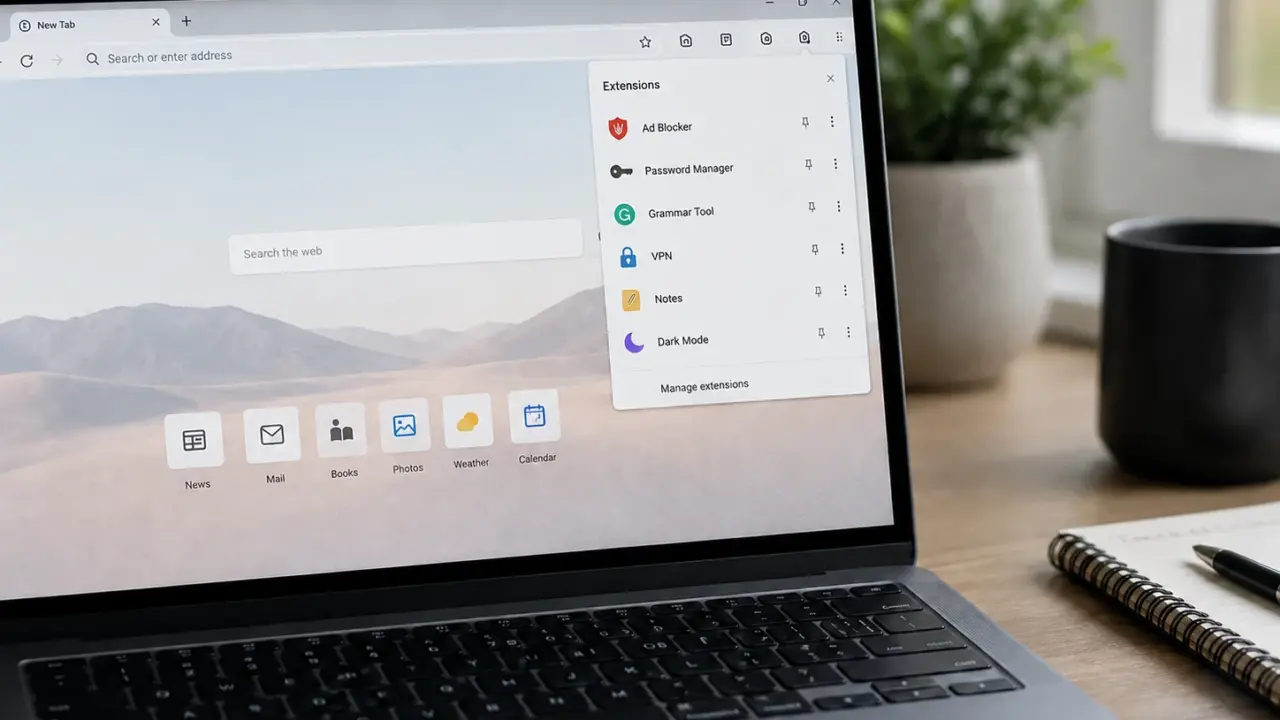
Browser extensions look harmless because they usually solve small problems. One blocks ads. Another fixes grammar. Another finds shopping discounts, saves passwords, translates pages, or changes the look of websites.
But the reason you need to clean up your browser extensions is not just because your browser looks cluttered. It is because extensions live inside the same browser where you open Gmail, PayPal, banking portals, shopping pages, work dashboards, cloud files, and social media accounts.
That location gives them unusual power.
A USENIX Security 2024 paper on browser extension privacy risks said modern browsers support “rich extension ecosystems,” but extensions with enough permissions can access and quietly leak sensitive browsing data to developers or third parties.
Extensions are not just small browser tools
The first mistake many users make is thinking extensions are only buttons beside the address bar.
They are more powerful than that. Depending on their permissions, extensions can read pages, change website content, monitor requests, access cookies, or run scripts inside websites.
Google’s Chrome Extensions documentation on permissions explains that host permissions can allow extensions to interact with matching URLs, including reading tab details, injecting content scripts, monitoring web requests, and accessing cookies.
Google’s Chrome Web Store Help page also says users can control whether an extension can “read and change site data” when clicked, on one site, or on all sites.
That setting matters. An extension that only needs to work on one shopping site should not automatically have access to your email, online banking, workplace tools, and every page you visit.
Research shows this is not just a theoretical risk
The strongest reason to clean up your extensions is that researchers have already found privacy risks at scale.
The USENIX Security 2024 Arcanum study tested functional Chrome Web Store extensions across sensitive websites such as Amazon, Facebook, Gmail, Instagram, LinkedIn, Outlook, and PayPal.
The same USENIX Security 2024 paper said the researchers observed privacy risks across thousands of extensions, including hundreds that automatically extracted user content from webpages.
A Georgia Tech research summary said the team studied more than 100,000 functional Chrome Web Store extensions and monitored whether they extracted user data from Amazon, Facebook, Gmail, Instagram, LinkedIn, Outlook, and PayPal.
The Georgia Tech report said researchers found more than 3,000 extensions that automatically collected user-specific data, while more than 200 directly took sensitive webpage data and uploaded it to servers.
That finding is important because the most sensitive information is often not in your browser history. It is inside the pages you are viewing: emails, receipts, private messages, social media profiles, medical portals, banking dashboards, and workplace systems.
Users often do not understand what they allowed
Another problem is that browser permission warnings are often too vague for ordinary users.
A SOUPS 2021 study on users’ knowledge of browser extension privacy and security said extensions require users to grant permissions during installation, but those permission notices give limited information about access to personal data and browsing behavior.
The same SOUPS 2021 paper surveyed 353 participants and found that users were interested in security information, trusted developers, but did little to protect their data.
The SOUPS 2021 researchers also found that users had limited knowledge about the technical abilities of browser extensions and preferred clearer permission statements.
This is why extension cleanup should not depend only on whether a user remembers what they approved years ago. Many people install an extension once, click through a warning quickly, and then forget it is still running.
Official stores help, but they do not remove the risk
Downloading extensions from official browser stores is safer than installing random software from unknown websites, but it does not eliminate risk.
A 2025 paper titled A Study on Malicious Browser Extensions in 2025 said the extension platform is being exploited for phishing, spying, DDoS attacks, email spam, affiliate fraud, malvertising, and payment fraud.
The same 2025 malicious extension study said controlled experiments showed malicious extensions could still be developed, published, and executed in the Mozilla Add-ons Store and Chrome Web Store.
Another 2025 paper, It’s not Easy: Applying Supervised Machine Learning to Detect Malicious Extensions in the Chrome Web Store, said some malicious extensions bypass Chrome Web Store checks and put users’ security and privacy at risk.
The machine-learning detection paper said researchers collected 7,140 malicious extensions from 2017 to 2023, combined them with 63,598 benign extensions, and later identified 68 malicious extensions that bypassed vetting in a newer dataset.
This does not mean browser stores are useless. It means users should not treat store approval as a permanent guarantee. The extension ecosystem is large, fast-moving, and difficult to police perfectly.
Trusted extensions can become risky later
A browser extension can be safe when you install it and risky later.
That can happen after an ownership change, a developer account compromise, a malicious update, or a change in business model. This is one of the most overlooked risks because users tend to trust extensions they have used for a long time.
Reuters reported in December 2024 that hackers hijacked several companies’ Chrome extensions, including one from data protection company Cyberhaven.
The same Reuters report said Cyberhaven believed the attack was part of a wider campaign targeting Chrome extension developers.
Google has added some protections for this problem. The Chrome Developers blog on Extension Safety Check said Chrome 117 began highlighting extensions that are no longer in the Chrome Web Store because they were unpublished by the developer, taken down for policy violations, or marked as malware.
The Chrome Developers blog also said extensions marked as malware are automatically disabled, while other removed extensions are shown to users for review.
That is helpful, but it should not replace personal review. Safety tools usually react to known problems. A cleaner browser reduces the number of possible problems in the first place.
What cleaning up actually means
Cleaning up browser extensions does not mean deleting every tool. Some extensions are useful and trustworthy, including password managers, accessibility tools, ad blockers, research tools, and work-related add-ons.
The goal is to reduce unnecessary access.
Start by removing extensions you no longer use. Every unused extension is still a piece of software that may receive updates, request permissions, or expose your browser to risk.
Next, review site access. Google’s Chrome Web Store Help page says users can change whether an extension can read and change site data only when clicked, on a specific site, or on all sites.
For most extensions, access to all sites should be the exception. A coupon extension does not need access to your work email. A grammar extension does not need to inspect every internal dashboard. A screenshot tool does not need broad access to banking pages.
Also check the developer and privacy policy. Be more cautious with extensions from unknown publishers, tools with vague descriptions, extensions that request broad permissions for simple functions, and add-ons that suddenly change branding or behavior.
The real reason to clean up now
The browser has become the operating system for everyday life.
Work, shopping, banking, school, healthcare, messaging, cloud storage, and AI tools all run through the browser. That makes extensions unusually powerful because they sit close to the most sensitive parts of your digital activity.
The point is not to panic. The point is to treat extensions like real software.
If an extension is useful, from a trusted developer, still maintained, and limited to the sites where it actually needs to work, it may be worth keeping. But if it is unused, over-permissioned, poorly explained, or no longer available in the official store, it should probably go.
Browser extension cleanup is not just digital housekeeping. It is a security decision hiding in plain sight.