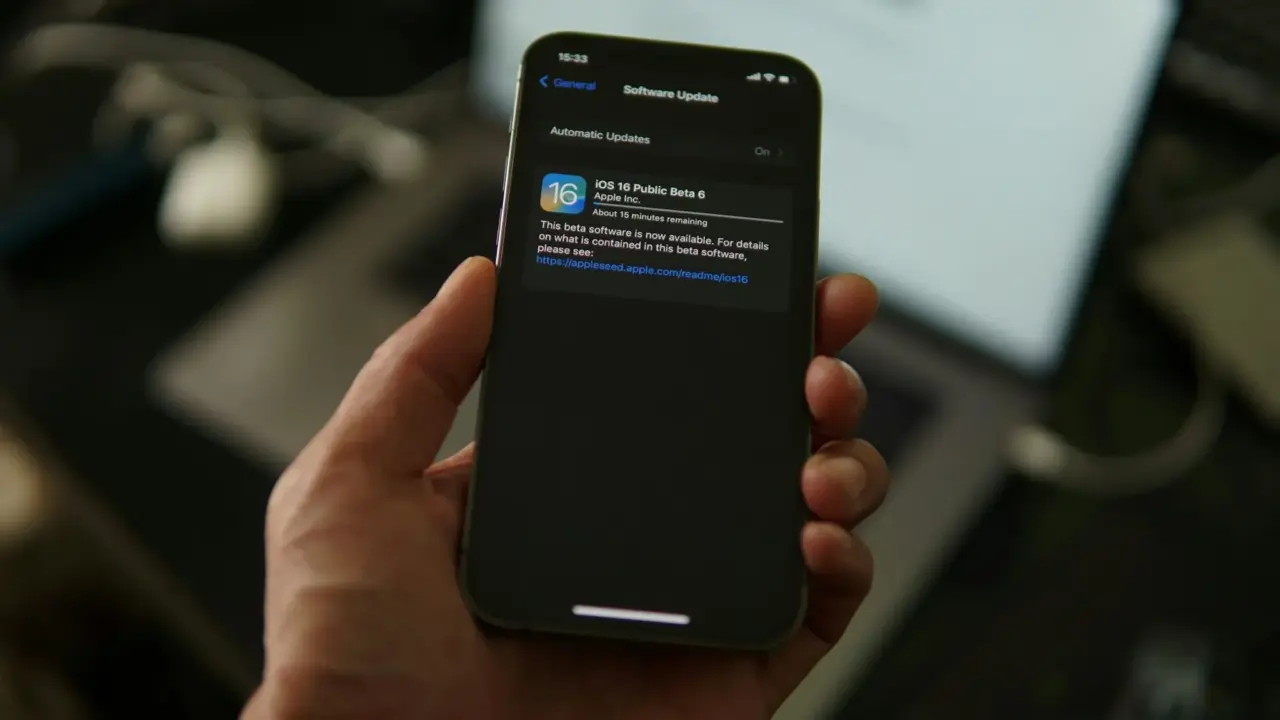
If it seems like your apps are always asking for updates, it is because modern apps are never really finished. Developers keep maintaining, fixing, and improving them all the time.
There are four main reasons for updates: fixing bugs and security issues, staying compatible with new operating system rules, keeping app-store approval and visibility, and meeting user expectations or business competition.
According to Android’s developer documentation, keeping an app up to date gives users new features, performance improvements, and bug fixes.
It also mentions that some users need to be reminded to install updates through in-app prompts. This shows that apps are changed often, and mobile platforms now have built-in systems to encourage people to install those updates.
It is important to know that an update can mean different things. Sometimes it adds a new feature. Other times, it is a security fix or a behind-the-scenes change because Apple or Google updated their rules.
Updates can also fix bugs in code the app developer did not write, or they might be needed just to keep the app from being hidden or removed from the app store. This is why updates might seem excessive to users, but they often make sense to developers.
Most updates are still about fixing things
Many app updates are not exciting. They are simply repairs.
A study called Fresh apps: an empirical study of frequently-updated mobile apps in the Google play store. The authors studied 10,713 mobile apps and found that among frequently updated apps, almost 45% of updates gave users no explanation at all.
When developers did give a reason, most updates were for bug-fixing (63% of the time), followed by new features (35%) and improvements (30%).
This is helpful because it goes beyond the usual marketing language in app stores. The most common reason for updates was not a big redesign, but simply fixing bugs.
Google’s in-app updates documentation says something similar in practical terms. It explains that updating apps gives users performance improvements and bug fixes, not just new features.
It also explains the difference between flexible updates, which let you keep using the app while it updates in the background, and immediate updates, which require you to update and restart the app because the update is critical to the core functionality of the app.
This difference is important. Sometimes an app prompts you to try something new, but other times it prompts you because it will not work right without the update.
Security is a major reason apps cannot sit still
Security is a major reason for fixing bugs.
The paper Too Quiet in the Library: An Empirical Study of Security Updates in Android Apps’ Native Code found that out of the 200 most popular free apps on Google Play, 53 apps (26.5%) included vulnerable native-library versions with known CVEs during the study period, and that app developers took, on average, 528.71 days to apply security patches, while library developers released a security patch after 54.59 days.
The paper calls that a 10 times slower rate of update. That gap helps explain why updates keep coming: vulnerabilities do not disappear just because the app looks fine on the surface.
Developers are often patching security problems in dependencies, frameworks, and libraries users never see.
Another study, Third-Party Libraries in Mobile Apps: When, How, and Why Developers Update Them, found that the main reasons developers update their libraries are to avoid bug propagation and make the app compatible with new Android releases.
The study also says that most of the mobile apps suffer from technical lag and it constantly increases over time. This is a hidden reason why apps seem to need so many updates.
Modern apps are built on layers of code from different sources. If one layer changes or becomes risky, the app itself often needs to change as well.
The operating system keeps moving under the app
Apps do not run in a stable environment forever. Both iOS and Android are always changing.
Google’s target API requirement documentation says that starting August 31, 2025, new apps and app updates must target Android 15 (API level 35) or higher to be submitted to Google Play, and that existing apps must target Android 14 (API level 34) or higher to remain available to new users on newer devices.
Google also explains why this matters: Every new Android version introduces changes that bring security and performance improvements and enhance the Android user experience.
It adds that targeting a recent API level helps users benefit from those improvements and lets apps use the platform’s latest features.
This means that many updates are not really optional for developers. When Android’s policies and APIs change, app makers often have to update just to stay compliant, visible, and installable.
This is one of the most important but least obvious reasons apps keep asking for updates. Even if the app itself has not changed, the environment around it has.
App stores also pressure developers to stay “up to date”
Apple takes a similar approach on the app store side.
On its App Store Improvements page, Apple says it wants to ensure apps on the App Store are functional and up to date. It says apps in all categories are evaluated to make sure they function as expected, follow current review guidelines, and are up to date.
Apple also says developers of apps that have not been updated within the last three years and fail to meet a minimal download threshold may receive a possible-removal notice.
If an issue is found, developers are asked to submit an update within 90 days to keep the app on the store. Apple even says apps that crash on launch will be removed immediately.
Apple’s guidance is clear: update your app regularly to fix bugs, offer new content, provide additional services, or make other improvements.
So when users wonder why apps keep asking for updates, one simple answer is that the stores now expect apps to stay current, functional, and actively maintained. If an app goes too long without updates, it can start to look abandoned and eventually become harder to distribute.
Updates are also a product strategy, not just maintenance
Not every update is just for maintenance. Many updates are planned for strategy.
The paper More Haste, Less Speed: How Update Frequency of Mobile Apps Influences Consumer Interest describes product enhancement as a common strategy developers use to improve products by fixing defects or upgrading products with newer and more functionalities.
It also notes that competition in the app industry is fierce and that developers use updates to attract and motivate the intrinsic interest of consumers.
The study found that update frequency can boost interest in some settings but hurt it in others, depending on whether the app is more hedonic or more utilitarian.
In other words, updates are not only about software correctness; they are also part of how companies manage attention, retention, and growth.
This explains why some apps update even when nothing big seems to have changed. Developers are trying to balance maintenance with keeping the product moving forward.
Regular updates can show that an app is active and improving, but too many small updates can tire users or make the app seem unstable.
The same study warns that excessive update frequency can make users feel less secure in some cases. So while the pressure to update is real, the best update pace is different for each app.
Why the prompts feel constant
Updates feel constant not just because developers release them often, but also because mobile platforms have made update prompts a regular part of using apps.
Google’s in-app updates page explicitly says that some users might need to be reminded to install updates and that the Play Core libraries are built to prompt active users to update your app.
That means apps are not just passively waiting in the app store for you to notice a new version.
Developers can build prompts directly into the app experience itself. If they classify an update as essential, they can even use an immediate update flow that blocks continued use until the update is installed.
For users, it can feel like apps are always asking for attention.
For developers, though, these prompts are a practical way to handle real issues like security patches, API deadlines, crash fixes, review rules, dependency updates, and product changes that would otherwise be scattered across old versions.
So why do apps keep asking for updates?
Apps are no longer static software. They are constantly changing because of updates to operating systems, app stores, security needs, and competition.
Research shows that when developers explain why they update, bug fixes are still the top reason, followed by new features and improvements.
Companies like Google and Apple require apps to stay current with API levels and review standards.
Studies also show that developers update libraries to avoid bugs and stay compatible with new Android versions. App stores now have built-in ways to remind or even require users to install updates.
So the next time an app asks you to update, it is probably not just for show.
The real reasons are usually maintenance, compatibility, security, staying on the platform, or keeping up with competition—and often a mix of these.