
Most PMs use AI like a glorified secretary. They shove meeting transcripts, customer calls, support tickets, and JIRA sludge into the belly of ChatGPT, then ask for a cleaner PRD, a prettier recap, or a smoother roadmap update, polished to a corporate mirror finish. The output is passable, but not remarkable. Paperwork looks smarter. The business doesn’t. The team is still stuck on the 10th design review, the same bottleneck, and the business has no revenue to show for its multi-million dollar investment. That, my friends, is automation theater.
How do we fix all of that and finally get some value out of the digital transformations our bosses spent half the budget on?
Smart PM’s use AI to find ROI and win buy-in.
Train your robot to help you find work worth doing. AI can analyze your business, customers, metrics, and executive priorities. Then it can point to the stuff that actually matters: revenue leaks, churn drivers, support-cost drag, onboarding friction, and sales objections that are killing deals. Then, AI can be leveraged to pressure-test risky bets, tighten recommendations, and build business cases that leadership will approve.
At the bottom of this article is a document you can use to train your robot.
1. Stop Asking AI to Summarize. Train It to Hunt for Money.
We’re all guilty of dumping 10 customer calls, 50 support tickets, a few churn notes, and some funnel drop-off data into Chat GPT and asking for a summary. The model regurgitates 5 tidy themes, a few polished bullets, and a nice little story about “user pain.” Everybody nods. Nobody knows what to do next.
That’s not insight. That’s a cleaner pile of notes.
The business doesn’t need another recap of what customers said. It needs us to figure out which problems are costing money, which customers are hurting, and whether the upside of changing the product is big enough to matter.
That’s where AI gets interesting. Used right, it can handle the ugly first pass and pull patterns across support, sales, onboarding, churn, and product usage faster than a PM can by hand. But you have to ask the right question:
“You are a product manager with over 20 years of experience, and you have been tasked with decreasing costs and increasing ROI for your organization. Review this dataset and answer the following: What problem in here is most likely hurting conversion, slowing activation, increasing support cost, or putting retention at risk?”
Now the robot has something useful to hunt. Do not just say – “Summarize these interviews.”
Step by Step:
1. Give the model a simple scoreboard. Tell it what matters in your company:
a. What counts as a high-value customer?
b. Which metrics matter most right now?
c. What is the company trying to improve this quarter?
d. What kinds of problems will leadership actually fund?
2. Then feed it the messy stuff:
a. Customer interviews
b. Support tickets
c. Churn reasons
d. Lost-deal notes
e. Onboarding complaints
f. Funnel drop-off data
3. Rank problems by business consequence, not just frequency.
a. A simple prompt looks like this:
Read these customer interviews, support tickets, churn reasons, and funnel notes. Identify the top 5 problems showing up across the data. Rank them by likely impact on conversion, activation, churn, and support cost. Separate loud but low-stakes complaints from quiet but expensive problems. For each problem, tell me: who it affects, what business metric it likely hurts, why you think it matters, and what evidence is still missing.
4. But don’t stop there. Make it turn the answer into a plain-English problem statement an executive can understand in ten seconds.
Turn the top-ranked issue into a plain-English problem statement with: the user persona, pain point, and the likely business consequence.
5. Turn the answer into ideas: support cost reduction, activation improvement, time-to-value improvement, and retention plays.
That’s the shift. Stop using AI to tell you what customers said. Use it to tell you where the business is bleeding. If your prompt ends with “summarize,” you’re probably aiming too low. But if your prompt ends with “what’s the most expensive problem in here,” you’re thinking like a PM who wants to move the business.
2. Don’t Hand Execs a Pain Point. Hand Them a Number.
Finding the problem is only half the battle. Execs don’t fund pain. They fund upside. Once the robot tells you what’s hurting conversion, slowing activation, or driving support cost, make it do the next piece of work: size the damage and sketch the payoff.
This is where most PMs stop too early. They find a pattern in the customer noise, wrap it in decent prose, and call it insight. Fine, but that doesn’t tell leadership if the issue is worth solving now, later, or never.
Train your robot to develop a business case by asking it:
- Who does this pain point hit most?
- What metric does it hurt?
- How often does it show up?
- What is it probably costing in money, time, support load, churn risk, or deal friction?
- Finally, if we fix it, what do we get back?
A good PM prompt sounds more like finance than research:
Turn this problem into a rough ROI case. Estimate who it affects, what metric it hurts, how often it appears, what it is likely costing, what upside we might get if we fix it, and what assumptions this depends on.
Now, you’ve got the robot doing real work, not just regurgitating a leadership complaint. If you change your thinking and train your bot, you’re handing leadership a safer bet.
“Customers are frustrated” never gets funded. “This issue is delaying activation in enterprise accounts, creating repeat support contacts, and likely dragging time-to-value in the amount of $3m” creates an impossible-to-refuse value proposition for executives.
3. Make the Robot Attack the Idea Before the Execs Do
Before you walk it upstairs, stress-test your bet. Selling a C-level is like getting into the boxing ring with 1990s Mike Tyson, blood sport, and most PM’s aren’t salesmen. AI will keep you from marching into a meeting with a recommendation that hasn’t been punched in the mouth yet. The robot shouldn’t just help you find the idea. It should help you kill weak logic, expose bad assumptions, and rehearse the executive ‘Rumble in the Jungle’ prior to stepping in the ring.
These are the questions that will be in your C-level’s right hook to the face:
- Why is this a bad bet?
- What assumption is weakest?
- What will finance hate?
- What will engineering push back on?
- What will the execs ask in the first 3 minutes?
- What proof is missing?
- What cheaper/faster alternative exists?
- What would make us regret funding this in 90 days?
But you don’t need to do more push-ups; your robot does. Feed it this practical prompt:
Here is the ROI case for this idea. Assume you are the CFO, CTO, and CPO in the room.
Tell me: the weakest assumption, biggest financial objection, biggest technical objection, biggest execution risk, cheapest alternative, etc. Explain in concise detail what proof is still missing, what would make this a bad use of money in the next 90 days. Then, rewrite the recommendation so it is harder to kill.
Don’t use AI to make the pitch prettier. Use it to make the pitch survive first contact with leadership.
4. Extra Credit: Stop Writing a Deck About the Idea. Build a Rough POC and Learn Something Real.
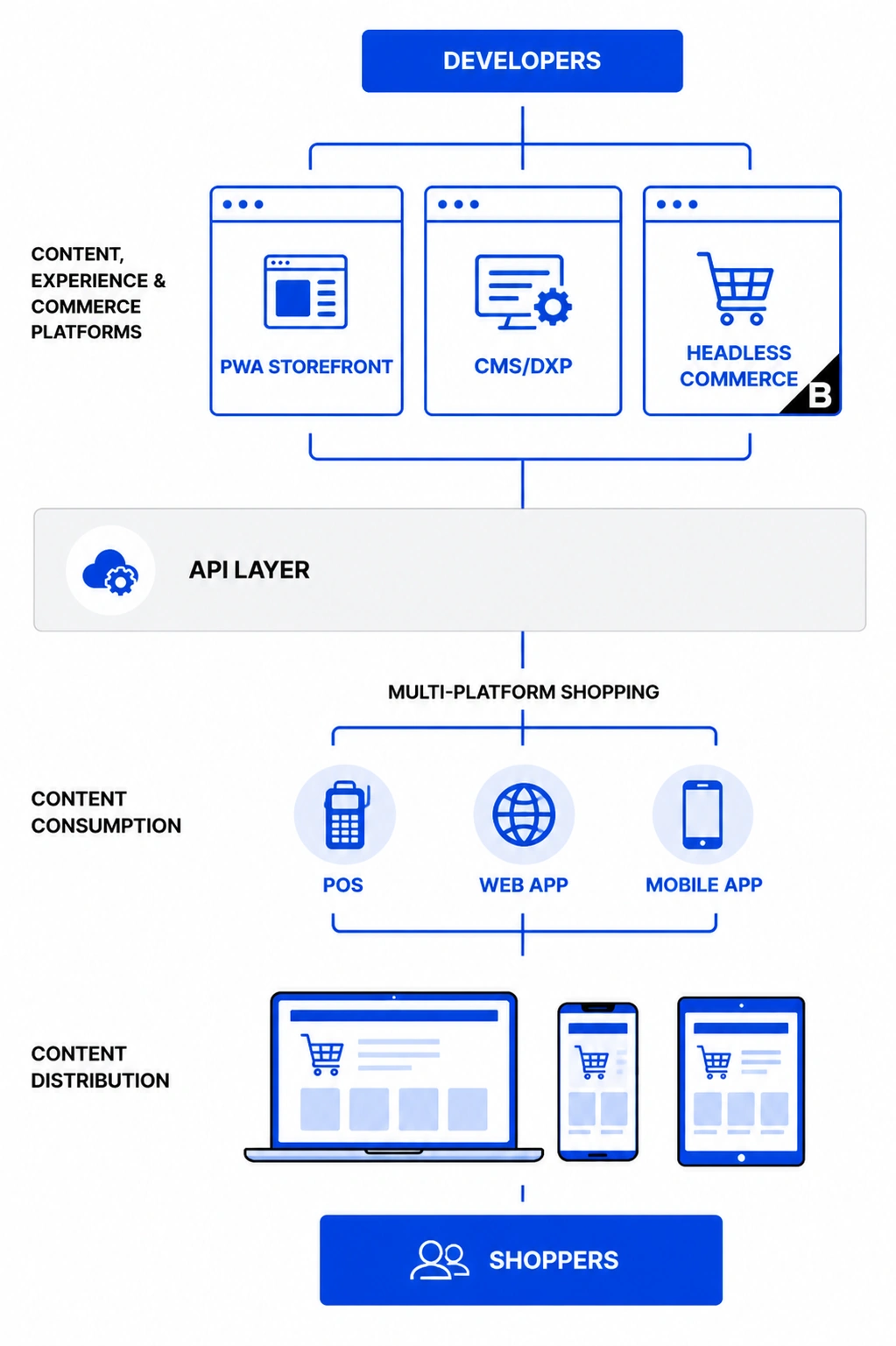 Before image: system diagram built in Figma
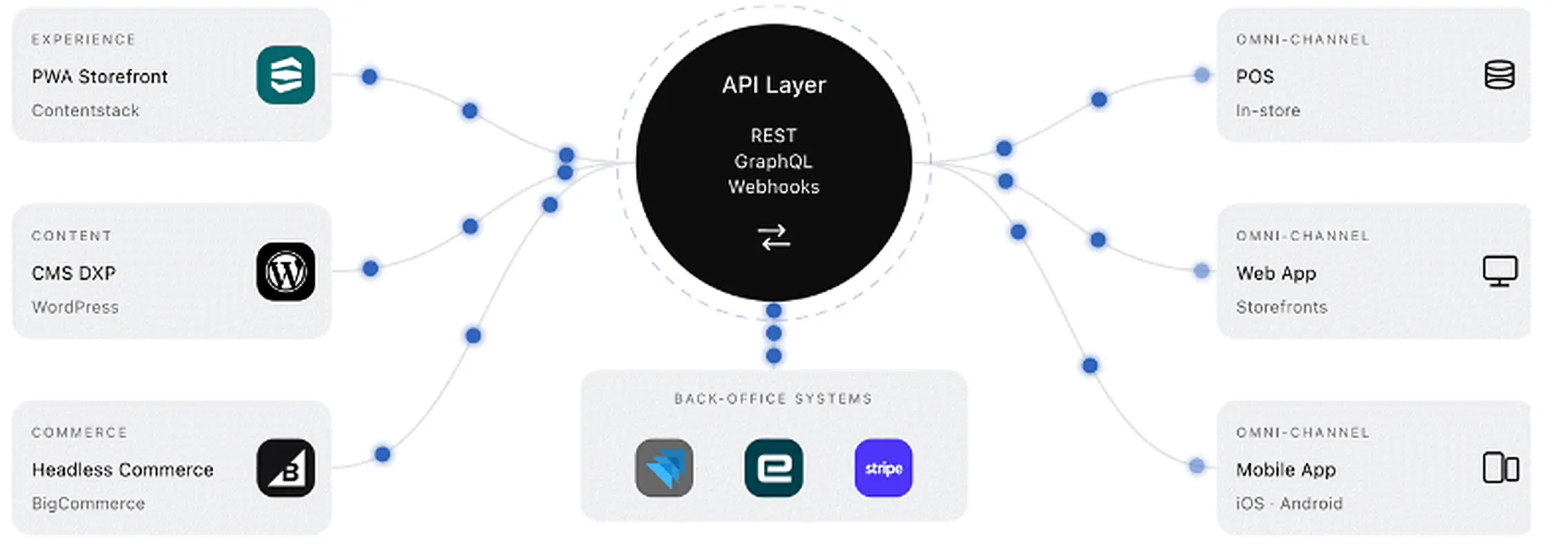
After image: interactive React.js element built in Claude
In 2026, PowerPoint and wireframes are where great ideas go to die. You found a real problem. You sized the upside. You pressure-tested the pitch. Then you did the most corporate thing possible:
Made a deck about the idea instead of building a POC in Claude.
That’s backwards.
Instead, use AI to build the fastest possible proof artefact:
- Clickable mock
- Rough onboarding flow
- Decision-tree wizard
- Support triage flow
- Pricing estimator
- Lightweight HTML prototype
- Fake backend demo with sample data
- Even a storyboard if that’s enough to test the idea
The goal isn’t polish. The goal is to sell the sizzle.
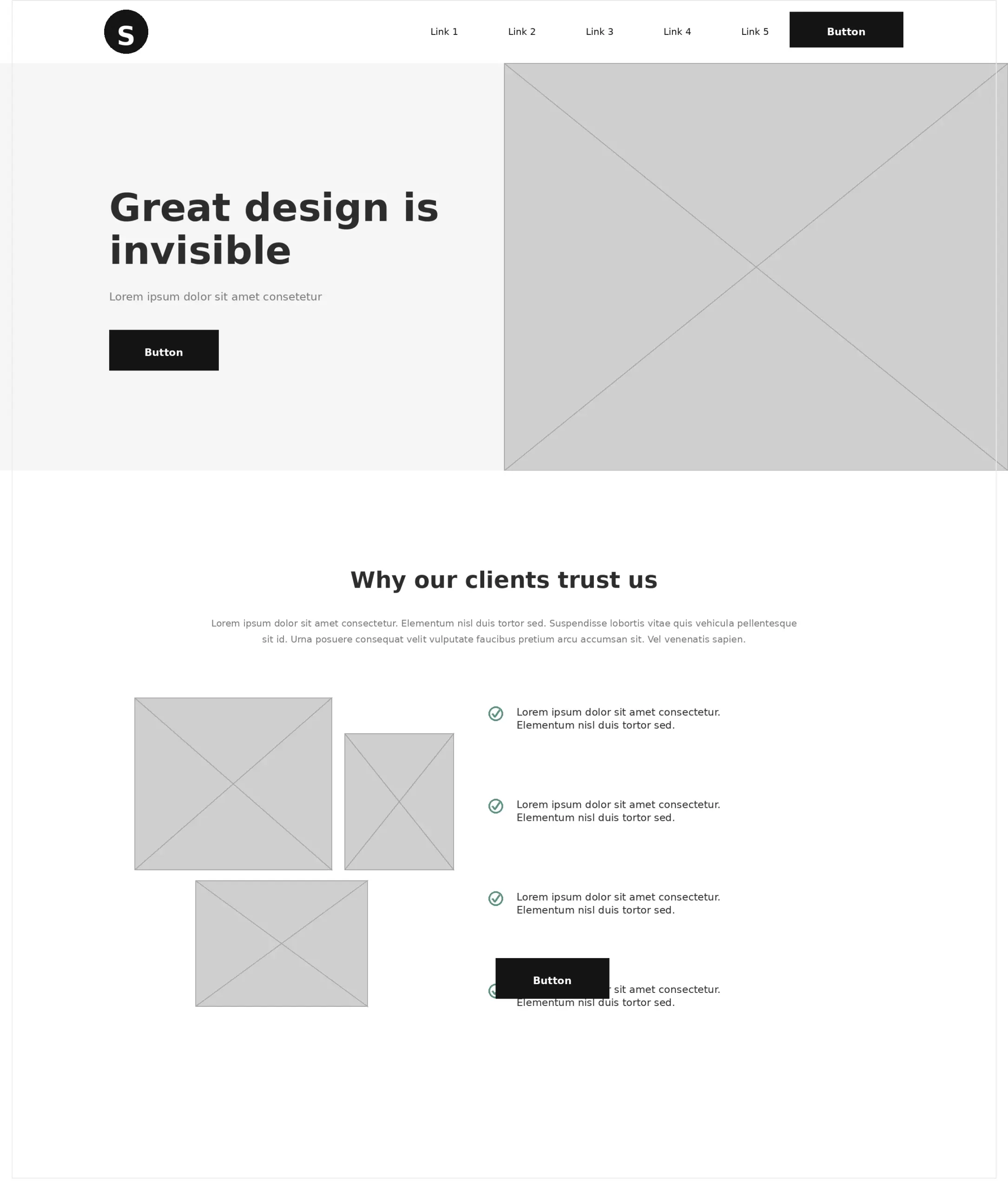
Before Image: Figma wireframe

After Image: working webpage built in Claude Code
If the idea matters, build the ugliest version that can answer the question fast. Don’t spend two weeks arguing about a workflow you could test in two days. This is where AI stops morphing from writer to weapon of mass construction.
As a PM, you don’t need a perfect prototype; you need something fast enough to test the core bet:
- Can the user complete the flow?
- Does the concept make sense?
- Does it solve the pain point you think it solves?
- Is the upside real enough to keep going?
Here’s a freebie step-by-step to get you started:
1. Tell the model what question the POC needs to answer:
a. What user you’re testing
b. What pain point you’re trying to solve
c. What action does the user need to complete
d. What would count as success
e. What would kill the idea
Hint: Remember PM 101… the given, when, then user story format. As Marketing, I want a visual dashboard to view ROAS in Google Analytics, so I can test ad spend ROI.
2. Give it the guardrails.
a. Current workflow
b. Feature requirements
c. Technical limits
d. Brand or compliance constraints (this is where a Figma Design system comes in handy)
e. Fake data you can use safely
3. Ask for the fastest version that can answer the question. Not the dream version.
4. Make it output something testable. Not a strategy memo. Not a feature essay. Something a human can click through, react to, or use.
A practical prompt
Build the simplest possible POC for this idea. The goal is to test whether [given] can complete [when] so that [then], and to determine whether the concept is worth funding.
Give me the smallest usable version, the core user flow, the required fake data, what I should test with users, and what success and failure look like. Generate the first pass as HTML/CSS/JS, or Tailwind, in a clickable flow.
Because a rough POC does three things a deck can’t: it forces clarity, exposes bad assumptions, and gives leadership something real to react to. That’s how you stop pitching theories and start selling. That’s how a PM uses the robot to drive the business forward. If you’re still writing slides about a feature you could have mocked in a day, you’re dragging the company into the theater.
Train the Robot. Then Make It Earn Its Keep.
AI can absolutely make a PM more productive. Who cares? Productivity isn’t the point. ROI is.
If you’re using AI to clean up notes, polish PRDs, and make roadmap updates sound smarter than they are, you’re still watching the boxing match from the nosebleed seats. The paperwork may look better. The business won’t. The better move is to train your robot on what your company actually cares about, aim it at problems with real upside, make it pressure-test your solutions before leadership does, and use it to build rough proof instead of prettier theory.
Great PM’s:
- Use AI to find the revenue leak.
- Use it to spot the support-cost drag.
- Use it to expose the weak assumption.
- Use it to build the rough POC.
Then they step into the ring with a sharper idea, a harder case, and fewer blind spots.
That’s the shift. Stop using AI to push more paper. Train it to find value.
Download Free PM AI Training Pack
If you want to skip straight to the useful part, download my custom-built PM AI Coordinator Pack free. It’s a set of practical markdown files you can hand to your AI so it stops acting like a generic chatbot and starts acting more like a sharp PM sidekick. The pack helps it understand your business context, customer segments, metrics, stakeholder politics, decision rules, and prompt structure, so it can help you find ROI ideas, pressure-test bad bets, prep for hard meetings, and build rough POCs instead of just writing prettier paperwork.